Products / Fast Reply
Production testedEvery reply. One surface. Nothing buried.
FastReply pulls every sending mailbox into a single surface. Triage, reply, and follow up from one queue, no matter how many mailboxes sit behind it.

One queue for every reply.
Categorize a thread and the cascade runs itself: the deal is created, EmailBison is marked, the webhook fires, Slack hears about it.
The reply layer for a solo operator at scale.
FastReply is where all of it converges: one surface for every inbox, every reply, every follow-up. It is the Master Inbox app the GTM team runs daily, under its Legion name.
Connect every sending mailbox into a single unified view. No tab-hopping across dozens of accounts to find the reply that matters.
Three-level grouping (Customer, Date, Categorization) with suggested categorization on every thread, so the ones that convert sit at the top of one queue.
The reply agent drafts a first pass on incoming threads and pre-fills the reply box; you edit and send through the EmailBison API with CC and attachment support. You never start from blank.
Categorizing a thread positive creates the deal, marks it in Bison, fires the engaged-lead webhook, and notifies Slack. One click, four systems updated.
Out-of-office reminders with return-date filtering, subsequence tracking with progress dots, activities, and a weekly calendar. No thread goes quiet.
Fetch client Cal.com times with smart slot selection and enrich prospect mobile numbers via Clay, all from inside the thread.
Generate a share link for any thread. It opens to a read-only view of the conversation only, no CRM data, no categorization, and no internal notes.
Every mailbox on the left. Every reply on the right.
A live look at Fast Reply - open a reply, read the prospect's context, then respond.
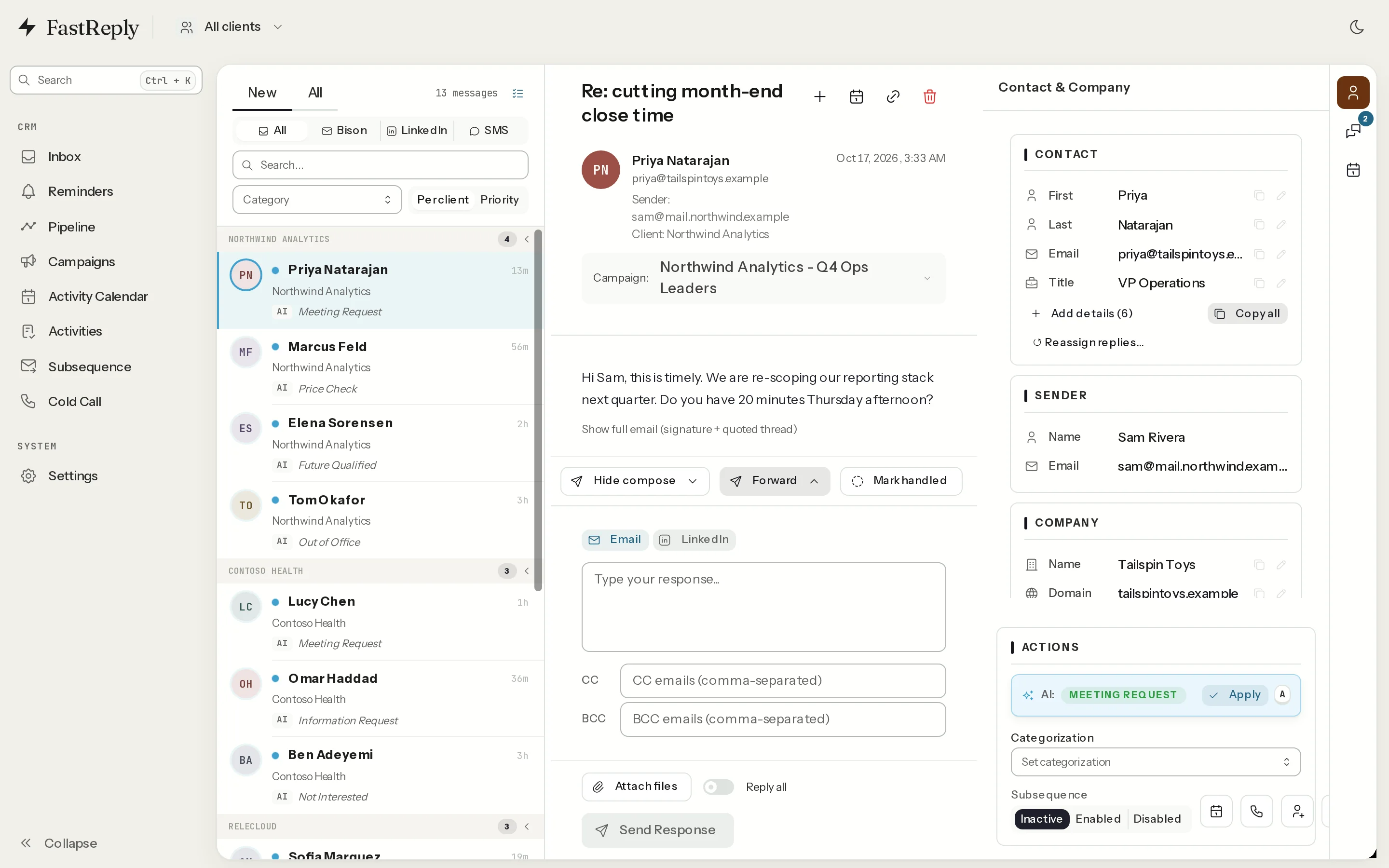

Scroll sideways to see the whole inbox.
The real FastReply app, shown with fictional sample clients and prospects. No customer data, production run, or performance metric is shown here.
From every inbox to one next action.
Connect the fleet
Every sending mailbox flows into Fast Reply as one surface - however many are behind your campaigns.
Categorize the queue
Incoming replies arrive grouped by customer, date, and categorization, with a suggested category on each thread. The ones that convert sit at the top instead of drowning.
Act or hand off
Send the pre-filled draft as-is or edit it first, or let the positive-thread cascade file the deal and flag the meeting. You stay in control of what sends.
Follow-ups stay on screen
OOO reminders, subsequence tracking, and activities hold every thread open until it is done.
Works with the whole stack.


Run every inbox like one operator.
FastReply comes with every Legion membership, alongside the brain, the CLI, and a new system every month.